One player hosts the world and everyone else joins it through Steam. Create the session as Public or Invite Only from the start; a world started in single-player cannot be opened to friends later. Everyone must run the same game version, and lobbies hold up to eight players even though the store page says one to four.
Host a game
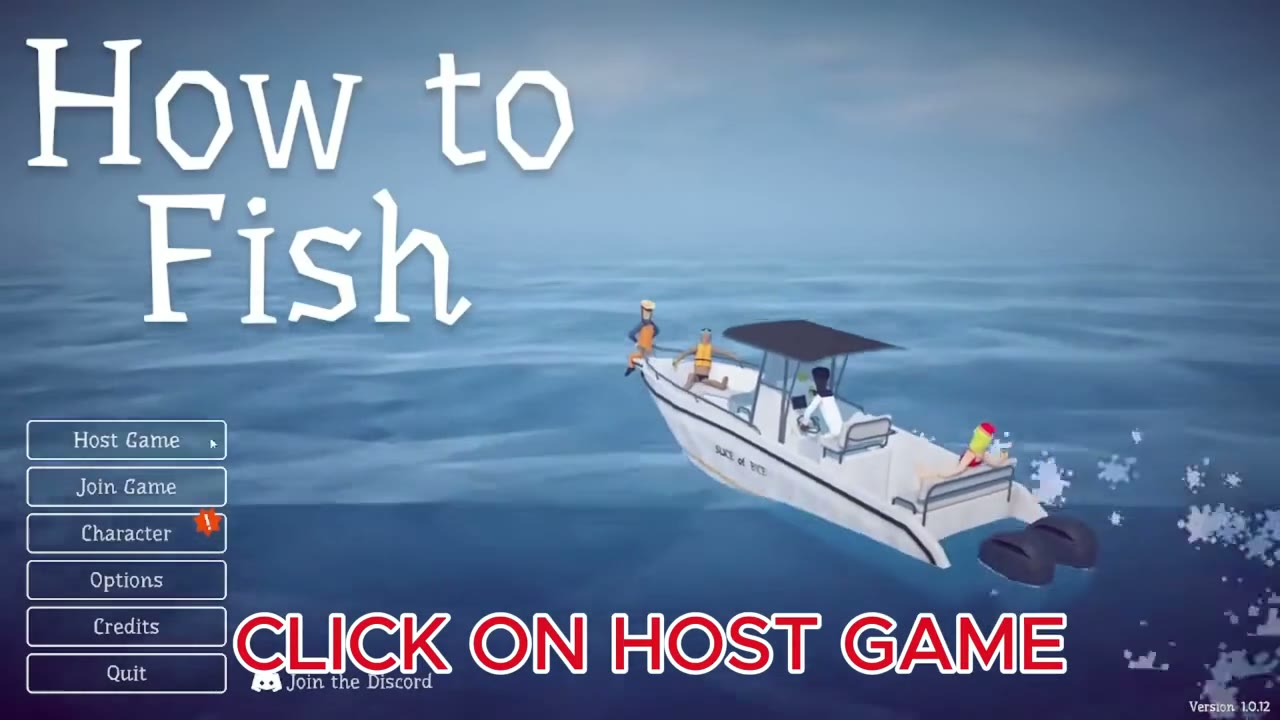
On the main menu, click Host Game, then create a new game.
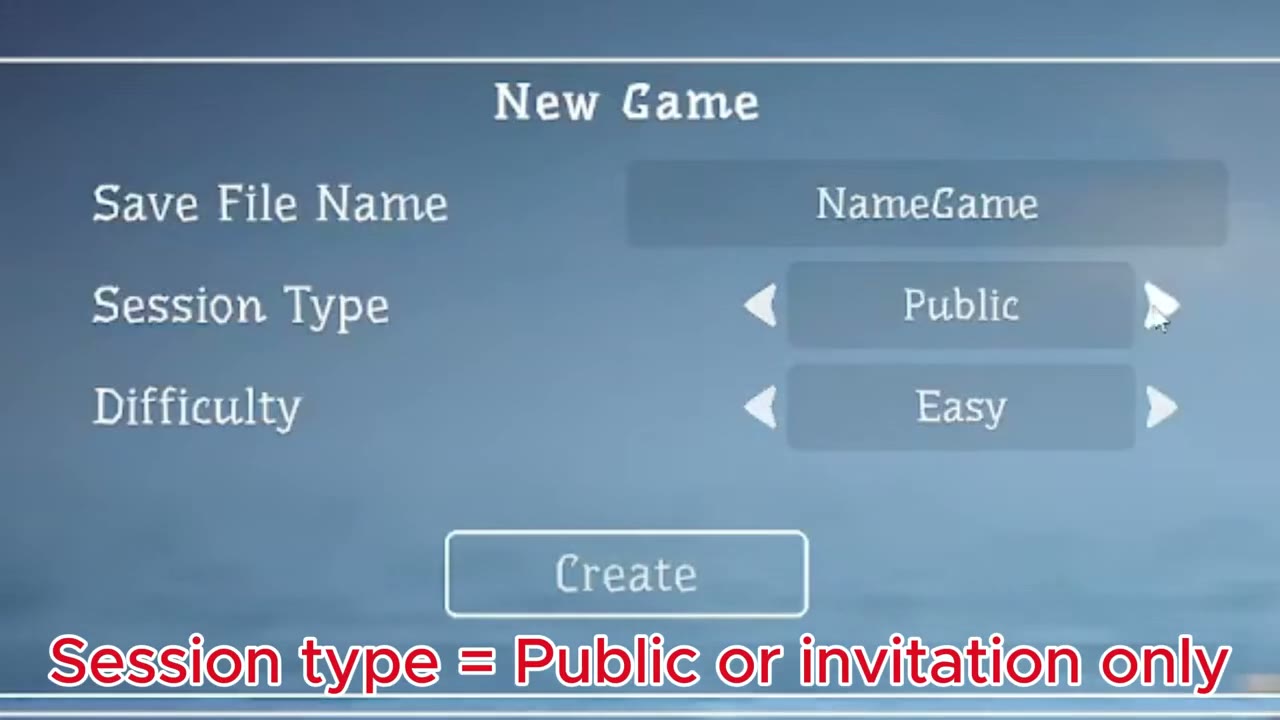
The New Game screen has three settings:
- Save File Name: the name the world will be listed under in Load Game.
- Session Type: Public (anyone can find it or join by its ID) or Invite Only (only people you invite through Steam).
- Difficulty: Easy gives creatures 75% health and you take 50% damage; Normal is 100%/100%; Hard is 125%/125%.
Get your friends in
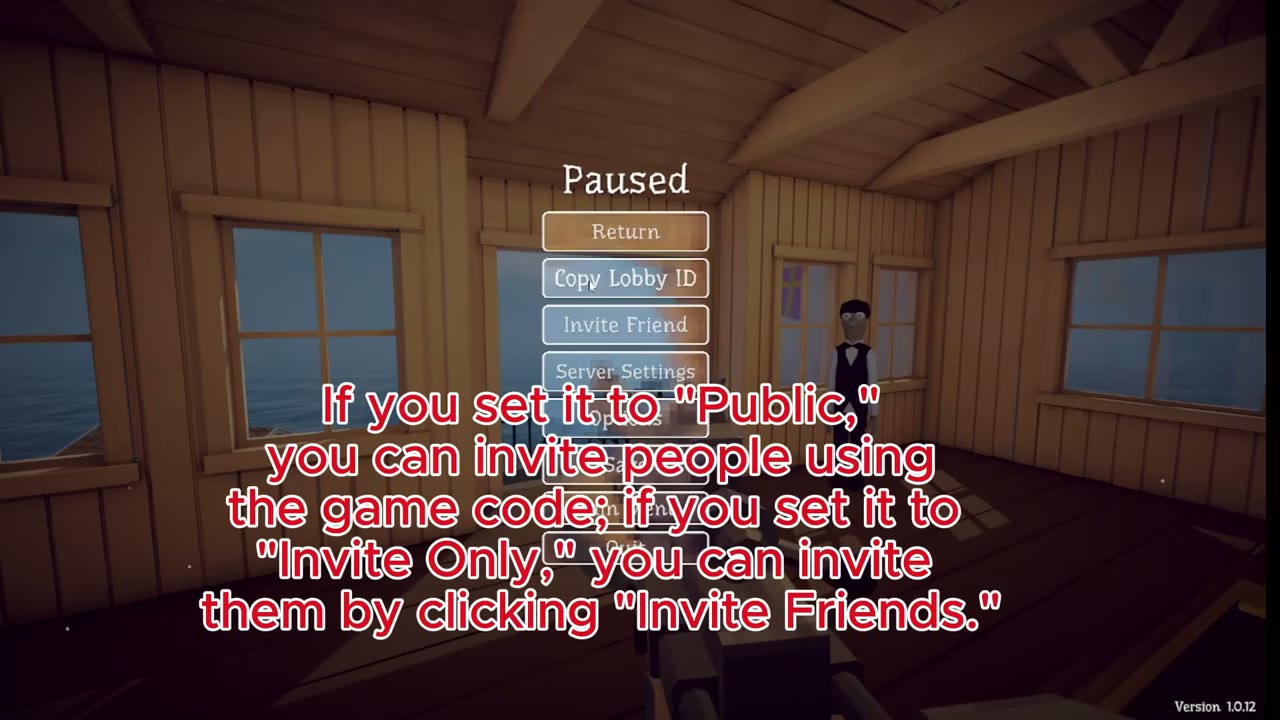
Once you are in the world, press Esc. The pause menu has Copy Lobby ID, Invite Friend and Server Settings. For an Invite Only session, use Invite Friend to send a Steam invitation; your friend accepts it and joins. For a Public session you can also copy the lobby ID and send it, and your friend enters it through Join Game on their main menu.
The game does not matchmake strangers into your world. If you need players, open a Public lobby or find a group in the Steam discussions or the developer's Discord.
How many players
The Steam page lists one to four players, and combat is balanced for four. Since patch 1.0.4 a lobby holds up to eight, so five to eight players works without any mod. Older videos recommending a "more players" mod date from before that patch. Every extra player raises boss health, and big lobbies are harder to follow on screen.
If someone cannot join
- Check that everyone is on the same version. A mismatch disconnects with "Disconnected: Version mismatch". After any update, everyone should fully restart Steam.
- If a friend gets a black screen or drops instantly, have the host close the lobby and create a new one, then invite again.
- If it still fails, let another player host.
Patch 1.0.10 gave players more time to connect, which cut down instant disconnects. Some lobby options only take effect after a server restart; if a setting says so, close the lobby and create a new one.
Rules that trip up groups
Quest items are physical objects. Whoever carries the shell, skeleton, fin or head must hand it in; pass it over with Q if someone else needs to.
A skin from the Reel of Fortune goes only to the player who threw the item into the machine; the others do not get it.
Friendly fire is a lobby setting. With it on, guns, melee and Dynamite hurt teammates. Even with it off, since patch 1.0.11 your own Dynamite can kill you, so clear the area before setting off a pile.
Seagulls steal catches lying around and can carry off a downed player. Clear them away or move valuable catches indoors before a boss fight. Shared money is also a lobby setting, so agree on it before anyone starts spending.
Next: where the save lives and how to back up the world before a risky session.
Source video